
Your Money.
Your Device.
Sarotix Expense Tracker is a desktop financial manager that keeps every transaction on your own hardware. Organize spending into topics, set dual budgets, generate PDF reports, and switch between workspaces—without ever sending data to the cloud.
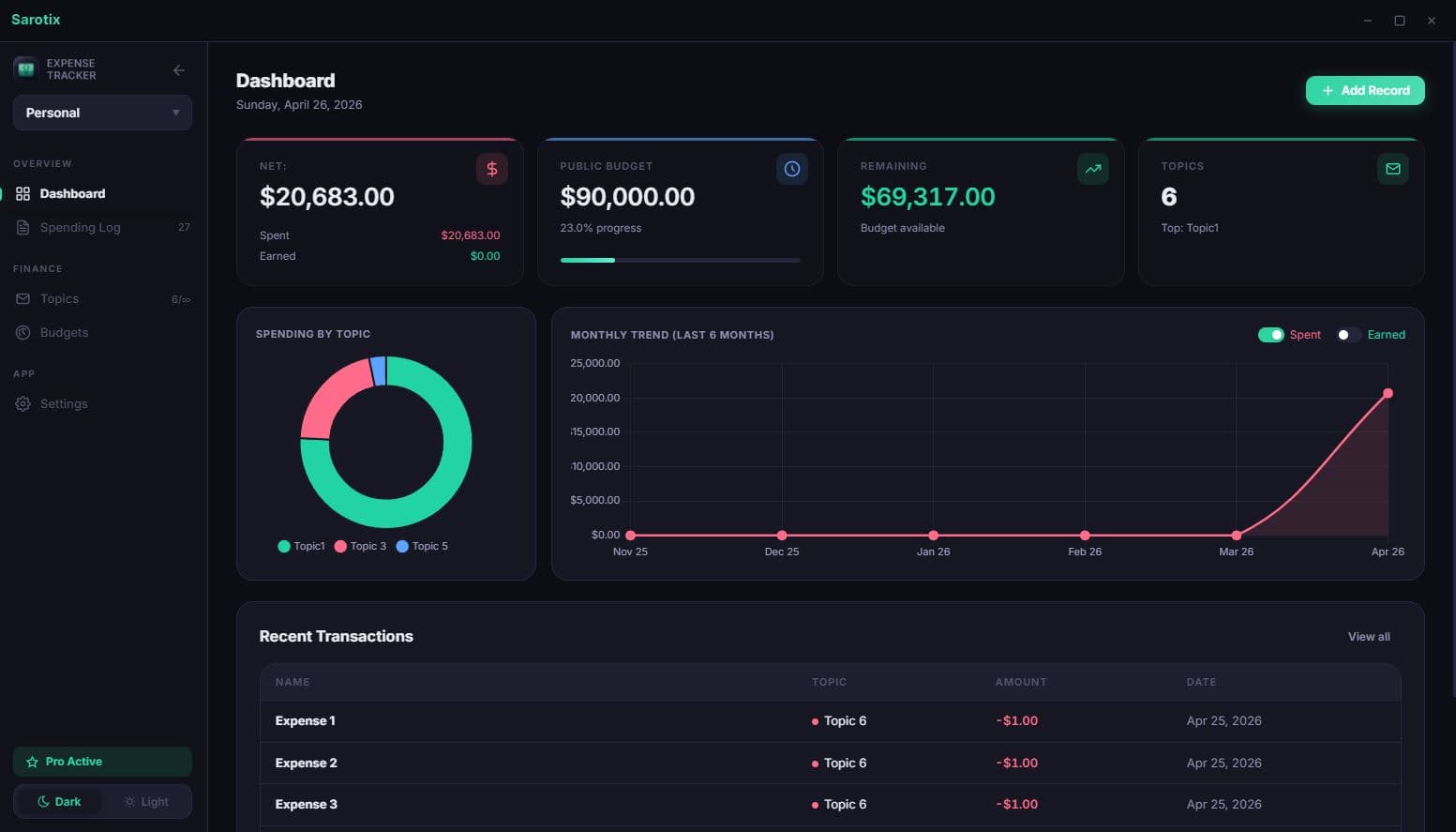
From download to first insight in minutes
Sarotix Expense Tracker is designed to get out of the way. Install it, create a workspace, and start recording—everything else follows naturally.
Install
Download the desktop app and launch it. No account creation required.
Set Up Topics
Create spending categories like Rent, Groceries, or Subscriptions with their own budgets.
Record Spending
Log each transaction with a name, amount, and date. Income or expense—both are supported.
Review & Export
Analyze trends on the dashboard, generate PDF reports, or export data for safekeeping.
Everything the app actually does
No inflated feature lists. These are the tools available inside Sarotix Expense Tracker, ready to use from the first launch.
100% Local & Private
Every record, budget, and report stays on the device. No cloud syncing, no third-party servers, no telemetry. Financial data never leaves the machine.
Topic-Based Organization
Group spending into meaningful categories. Each topic carries its own local budget, color, and record history—making it easy to see exactly where money goes.
Dual Budget System
Set a global public budget alongside per-topic local budgets. The dashboard clearly distinguishes which budget a transaction draws from.
Workspaces
Separate financial contexts into independent workspaces. Each workspace maintains its own topics, records, and budgets—ideal for managing personal vs. project finances.
PDF Report Generation
Generate detailed, print-ready PDF reports for any topic. Useful for personal review, record-keeping, or sharing summaries when needed.
Full Data Portability
Export everything as JSON or CSV at any time. Import data just as easily—perfect for backups, device migration, or archival.
Privacy is not a feature—it’s the architecture
Sarotix Expense Tracker stores all data in a local database on the device. There is no server, no analytics endpoint, and no network request made to store or retrieve financial data. An optional password lock adds another layer of protection. Data can be exported at any time—and it belongs entirely to the user.
Take control of your spending
Download Sarotix Expense Tracker and start organizing your finances in a fully private, offline environment.
Download for Desktop (Coming Soon)